Did you know: AcuGraph 5 shows Musculotendino and Internal Channel Pathways

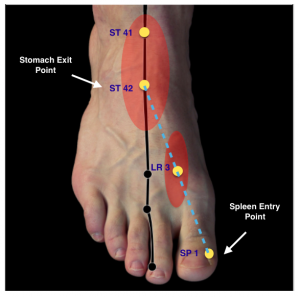
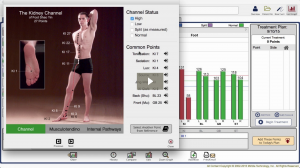
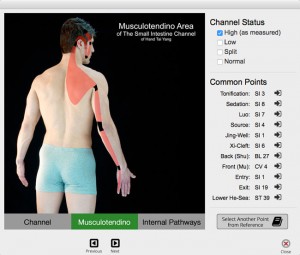
Editor’s Note: This post references AcuGraph 5, which has been succeeded by AcuGraph CS. The clinical concepts discussed remain applicable to current practice. Just a quick post today… Did you know that AcuGraph 5 shows not only the channel pathways, but also includes Musculotendino and Internal pathways too? This addition to AcuGraph 5 really had Kimberly excited because when you’re showing your patient what you have found in the measurements of the channels, you can correlate those... Read more

April Webinar—PIE in the Face: What the AcuGraph Scores Really Mean

Editor’s Note: This article was originally published in 2016. References to AcuGraph 5 reflect the software version available at the time; the current version is AcuGraph CS. The clinical techniques described remain fully applicable. The AcuGraph Training Webinar this month is all about the PIE score. What’s it all about? Where is it from? Does the PIE score matter? Whether you’re using AcuGraph 5 or an older version of the software, this webinar will apply... Read more

Did you know: How to Add Attachments to the Patient File in AcuGraph

Editor’s Note: This post references AcuGraph 5, which has been succeeded by AcuGraph CS. The clinical concepts discussed remain applicable to current practice. Now that we are on a “rapid-release” model for AcuGraph 5 software, we regularly add in new features. Last week was one of those releases, and today we’re highlighting one of the most important new features that is now included in your AcuGraph 5 software – Patient File. Did you know that... Read more

Custom Reports Made Easy

Editor’s Note: This post references AcuGraph 5, which has been succeeded by AcuGraph CS. The clinical concepts discussed remain applicable to current practice. How do I come up with blogs? Well, the truth is, I don’t. YOU do! Your questions inspire me to write blogs. Today, I had a conversation with a customer regarding custom reports. At the end of our conversation she was EXCITED to start using Custom Reports more effectively in her clinic. I... Read more

Kimberly likes to “Cuss”!

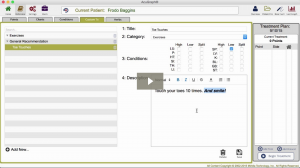
Okay, since it’s officially been published in Acupuncture Today, I can’t keep it a secret any longer… Because you are my friends, I thought I should tell you myself before you read about it online. I “cuss” in my clinic.  I’ve been “cussing” for about six months. I wasn’t taught how to “cuss” in TCM school. In fact, I learned this “cussing” technique through a chiropractor. It has been HUGELY beneficial to my practice. Go ahead... Read more

Oops—I Forgot About Her Foot Pain

I’ll bet you’ve done this before. The patient comes in for their regular treatment and spouts off her normal chief complaints: Upper back tension. She also mentions she have a weird random pain on the top of her right foot for no recognizable reason. I moved forward with my normal appointment flow–graph the patient; treat the points related to the graph; and treatment of chronic, neck, back and shoulder pain. Finally, I let the patient relax with needles for a... Read more

AcuGraph 5 Video Training: Setting up your AcuGraph

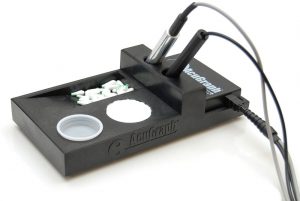
Editor’s Note: This post references AcuGraph 5, which has been succeeded by AcuGraph CS. The clinical concepts discussed remain applicable to current practice. Setting Up Your AcuGraph 5 Most Important Things you need to know to get started using your AcuGraph. How to Setup AcuGraph Hardware: This is the AcuGraph Processing Unit – it’s the brain, heart, and soul of AcuGraph. This is what takes the measurements and sends them to the AcuGraph software. To set... Read more

AcuGraph 5 Video Training: Reference

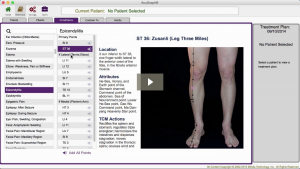
Editor’s Note: This post references AcuGraph 5, which has been succeeded by AcuGraph CS. The clinical concepts discussed remain applicable to current practice. In this tutorial, we’re going to take a look at the AcuGraph Reference section. When you go to reference section you’ll see that there are 5 tabs across the top. The first tab is Points. Here you can look up Acupuncture points. They are organized by meridian. And so if you click on meridian... Read more

AcuGraph 5 Video Training: Treatment Plan – Home Care

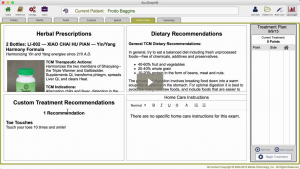
Editor’s Note: This post references AcuGraph 5, which has been succeeded by AcuGraph CS. The clinical concepts discussed remain applicable to current practice. In this walkthrough we’re going to talk about creating AcuGraph treatment plan, focusing on Home Care for patients. In other words, we will show you how to create instructions to send home with the patient for them to provide ongoing self care at home. When we’re looking at the graph, click on the Home... Read more

AcuGraph 5 Video Training: Custom Treatments

Editor’s Note: This post references AcuGraph 5, which has been succeeded by AcuGraph CS. The clinical concepts discussed remain applicable to current practice. Let’s talk about Custom treatments that you can use when you’re creating treatment plans on AcuGraph. When you go to your patient’s graph and you click on the Custom tab, you’ll see that there isn’t a custom treatment available because you haven’t defined any custom treatments yet. So, the first step is to go... Read more

AcuGraph 5 Video Training: Treatment Plan – Points

Editor’s Note: This post references AcuGraph 5, which has been succeeded by AcuGraph CS. The clinical concepts discussed remain applicable to current practice. In this tutorial we’ll walk through building a treatment plan, focusing on treatment point selection. As you’re looking through the patient’s graph, you’ll see the treatment recommendations at the bottom of the screen. Basic Treatment The white square that is highlighted is the Basic treatment protocol, and all the points that are... Read more

AcuGraph 5 Video Training: Treatment Plan – Advanced

Editor’s Note: This post references AcuGraph 5, which has been succeeded by AcuGraph CS. The clinical concepts discussed remain applicable to current practice. In this tutorial, we’re going to look at some of the more advanced treatment options in AcuGraph for those that like to really customize their treatments and their treatment point selection. When you look at the graph of a patient, for example the one below, you can see that there are two... Read more

AcuGraph 5 Video Training: Graphs

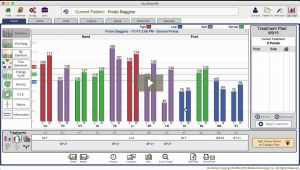
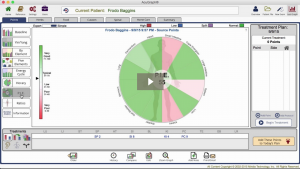
Editor’s Note: This post references AcuGraph 5, which has been succeeded by AcuGraph CS. The clinical concepts discussed remain applicable to current practice. In this tutorial we’re going to talk about graphs and all the graph styles that are included in AcuGraph 5, how to interpret them, and what they mean. Select a patient, and go to Last Graph. This pulls up the last exam that you performed on that patient. Now in it’s simplest sense... Read more

AcuGraph 5 Video Training: Cover Page

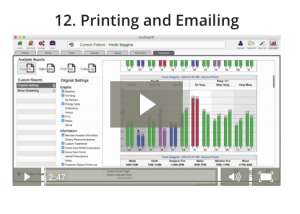
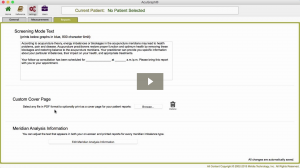
Editor’s Note: This post references AcuGraph 5, which has been succeeded by AcuGraph CS. The clinical concepts discussed remain applicable to current practice. Setting Up Custom Cover Page In this tutorial we’re going to walkthrough how to add a Custom Cover Page to your AcuGraph reports. Whether you’re going to print or email the report, having a custom cover page gives you a professional image, increases the attractiveness of your report and makes a great marketing... Read more

AcuGraph 5 Video Training: Treatment Plan – Herbs

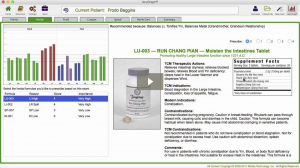
Editor’s Note: This post references AcuGraph 5, which has been succeeded by AcuGraph CS. The clinical concepts discussed remain applicable to current practice. In this video, we are going to show the herbal portion of the AcuGraph and how to include herbs in your treatment plan. When you are looking at a graph you can click on the Herbs tab up at the top to see the herbal recommendations for the graph. Here you will a list of... Read more