Skip to content

Acupuncture Technology News

Ancient acupuncture with modern tools.

  • Products
  • Store
  • Support
  • Company Info
Acupuncture Technology News
  • Products
  • Store
  • Support
  • Company Info

Author: Dr. Adrian Larsen

Posted on May 1, 2016January 7, 2022 Acupuncture Points

Acupuncture Point: Conception Vessel 4

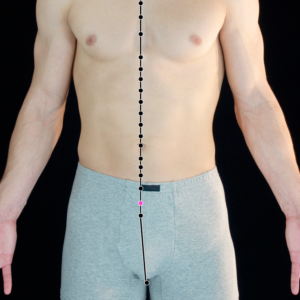
Conception Vessel 4 (CV 4) is extremely powerful for chronic debilitating diseases. Because it is a crossing point for the Liver, Kidney and Spleen channels Conception Vessel 4 can treat a broad range of conditions... Read more

Posted on April 15, 2016May 28, 2018 AcuGraph Products Tips/Techniques Training

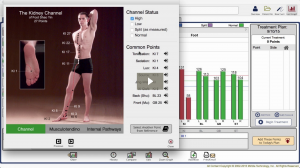
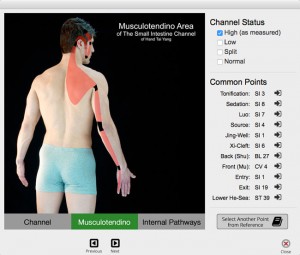
Did you know: AcuGraph 5 shows Musculotendino and Internal Channel Pathways

Just a quick post today… Did you know that AcuGraph 5 shows not only the channel pathways, but also includes Musculotendino and Internal pathways too? This addition to AcuGraph 5 really had Kimberly excited because when you’re showing your patient what you have found in the measurements of the channels, you can... Read more

Posted on April 5, 2016February 24, 2020 AcuGraph Dr. Adrian Larsen Products Tips/Techniques Training

April Webinar—PIE in the Face: What the AcuGraph Scores Really Mean

The AcuGraph Training Webinar this month is all about the PIE score. What’s it all about? Where is it from? Does the PIE score matter? Whether you’re using AcuGraph 5 or an older version of the software, this webinar will apply equally to you. Perhaps you’re even one of the users... Read more

Posted on March 25, 2016May 28, 2018 AcuGraph Products Tips/Techniques

Did you know: How to Add Attachments to the Patient File in AcuGraph

Now that we are on a “rapid-release” model for AcuGraph 5 software, we regularly add in new features. Last week was one of those releases, and today we’re highlighting one of the most important new features that is now included in your AcuGraph 5 software – Patient File. Did you... Read more

Posted on January 1, 2016November 1, 2016 AcuGraph Products Tips/Techniques Video Training

AcuGraph 5 Video Training: Setting up your AcuGraph

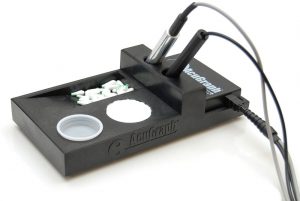
Setting Up Your AcuGraph 5 Most Important Things you need to know to get started using your AcuGraph. How to Setup AcuGraph Hardware: This is the AcuGraph Processing Unit – it’s the brain, heart, and soul of AcuGraph. This is what takes the measurements and sends them to the AcuGraph software.... Read more

Posted on January 1, 2016November 1, 2016 AcuGraph Products Tips/Techniques Video Training

AcuGraph 5 Video Training: Reference

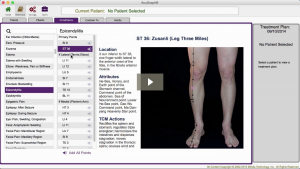
In this tutorial, we’re going to take a look at the AcuGraph Reference section. When you go to reference section you’ll see that there are 5 tabs across the top. The first tab is Points. Here you can look up Acupuncture points. They are organized by meridian. And so if you click... Read more

Posted on January 1, 2016November 1, 2016 AcuGraph Products Tips/Techniques Video Training

AcuGraph 5 Video Training: Treatment Plan – Home Care

In this walkthrough we’re going to talk about creating AcuGraph treatment plan, focusing on Home Care for patients. In other words, we will show you how to create instructions to send home with the patient for them to provide ongoing self care at home. When we’re looking at the graph, click... Read more

Posted on January 1, 2016November 1, 2016 AcuGraph Products Tips/Techniques Video Training

AcuGraph 5 Video Training: Custom Treatments

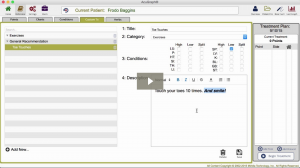
Let’s talk about Custom treatments that you can use when you’re creating treatment plans on AcuGraph. When you go to your patient’s graph and you click on the Custom tab, you’ll see that there isn’t a custom treatment available because you haven’t defined any custom treatments yet. So, the first step is... Read more

Posted on January 1, 2016November 1, 2016 AcuGraph Products Tips/Techniques Video Training

AcuGraph 5 Video Training: Treatment Plan – Points

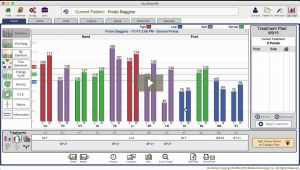
In this tutorial we’ll walk through building a treatment plan, focusing on treatment point selection. As you’re looking through the patient’s graph, you’ll see the treatment recommendations at the bottom of the screen. Basic Treatment The white square that is highlighted is the Basic treatment protocol, and all the points... Read more

Posted on January 1, 2016November 1, 2016 AcuGraph Products Tips/Techniques Video Training

AcuGraph 5 Video Training: Graphs

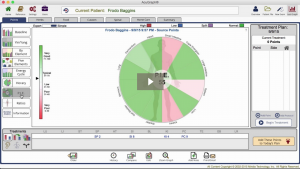
In this tutorial we’re going to talk about graphs and all the graph styles that are included in AcuGraph 5, how to interpret them, and what they mean. Select a patient, and go to Last Graph. This pulls up the last exam that you performed on that patient. Now in it’s... Read more

Posted on January 1, 2016November 1, 2016 AcuGraph Products Tips/Techniques Video Training

AcuGraph 5 Video Training: Treatment Plan – Advanced

In this tutorial, we’re going to look at some of the more advanced treatment options in AcuGraph for those that like to really customize their treatments and their treatment point selection. When you look at the graph of a patient, for example the one below, you can see that there... Read more

Posted on January 1, 2016November 1, 2016 AcuGraph Products Tips/Techniques Video Training

AcuGraph 5 Video Training: Cover Page

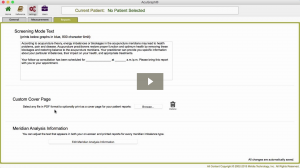
Setting Up Custom Cover Page In this tutorial we’re going to walkthrough how to add a Custom Cover Page to your AcuGraph reports. Whether you’re going to print or email the report, having a custom cover page gives you a professional image, increases the attractiveness of your report and makes a... Read more

Posted on January 1, 2016November 1, 2016 AcuGraph Products Tips/Techniques Video Training

AcuGraph 5 Video Training: Treatment Plan – Herbs

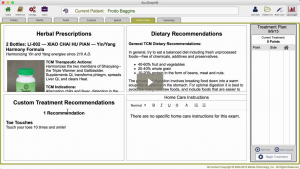
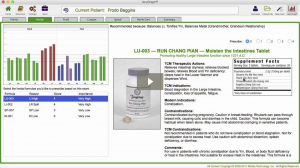
In this video, we are going to show the herbal portion of the AcuGraph and how to include herbs in your treatment plan. When you are looking at a graph you can click on the Herbs tab up at the top to see the herbal recommendations for the graph. Here you will a... Read more

Posted on January 1, 2016November 1, 2016 AcuGraph Products Tips/Techniques Video Training

AcuGraph 5 Video Training: Patient Management

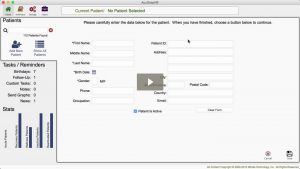
Let’s talk about Patient Management… When you first open AcuGraph, it opens in Secure Mode. Secure Mode is HIPAA compliant and doesn’t show any personal health information. If you’re in a safe place and there’s no prying eyes around, you can click to show all patients for your management and staffing... Read more

Posted on January 1, 2016November 1, 2016 AcuGraph Products Tips/Techniques Video Training

AcuGraph 5 Video Training: Treatment Plan – Spinal

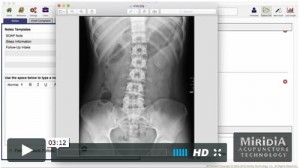
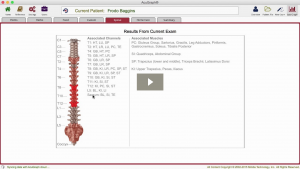
In this tutorial, we’re going to talk about the spinal treatment recommendations that AcuGraph makes. When you’re looking at the graph you can click on the Spinal tab. Here, you’ll see a picture of the Spine with some areas shaded. The shading has several different degrees of red, and some areas are not shaded... Read more

Posts pagination

← 1 … 8 9 10 11 12 … 19 →

What Users Are Saying:

Post History

Sign up for FREE tips on how to become a successful acupuncturist!

WE RESPECT YOUR PRIVACY: Your data will be used to provide you information about our products and services. By completing this form you give explicit consent to receive these messages. You may update your data, withdraw your consent or request that we delete your data at any time. Click here to review our entire privacy policy.double click to edit

Top Posts & Pages

  • Acupuncture Point: Governor Vessel 20 (GV 20)
    Acupuncture Point: Governor Vessel 20 (GV 20)
  • Auricular Anatomy Basics: The 7 Major Areas of the Ear
    Auricular Anatomy Basics: The 7 Major Areas of the Ear
  • Acupuncture Point: Heart 7 (HT 7)
    Acupuncture Point: Heart 7 (HT 7)
  • Acupuncture Point: Conception Vessel 22 (CV 22)
    Acupuncture Point: Conception Vessel 22 (CV 22)
  • Acupuncture Point: Gallbladder 34 (GB 34)
    Acupuncture Point: Gallbladder 34 (GB 34)
  • Acupuncture Point: Conception Vessel 1
    Acupuncture Point: Conception Vessel 1
  • Acupuncture Point: Conception Vessel 17 (CV 17)
    Acupuncture Point: Conception Vessel 17 (CV 17)
  • The 3-Level Acupuncture Balance Part 4: More on the Divergent Channel Balance
    The 3-Level Acupuncture Balance Part 4: More on the Divergent Channel Balance
  • Acupuncture Point: Conception Vessel 12
    Acupuncture Point: Conception Vessel 12
  • Acupuncture Point: Gallbladder 30 (GB 30)
    Acupuncture Point: Gallbladder 30 (GB 30)
© 2026 Acupuncture Technology News / Powered by WordPress / Theme by Design Lab