AcuGraph 5 Video Training: Treatment Plan – Home Care

Editor’s Note: This post references AcuGraph 5, which has been succeeded by AcuGraph CS. The clinical concepts discussed remain applicable to current practice. In this walkthrough we’re going to talk about creating AcuGraph treatment plan, focusing on Home Care for patients. In other words, we will show you how to create instructions to send home with the patient for them to provide ongoing self care at home. When we’re looking at the graph, click on the Home... Read more

AcuGraph 5 Video Training: Custom Treatments

Editor’s Note: This post references AcuGraph 5, which has been succeeded by AcuGraph CS. The clinical concepts discussed remain applicable to current practice. Let’s talk about Custom treatments that you can use when you’re creating treatment plans on AcuGraph. When you go to your patient’s graph and you click on the Custom tab, you’ll see that there isn’t a custom treatment available because you haven’t defined any custom treatments yet. So, the first step is to go... Read more

AcuGraph 5 Video Training: Treatment Plan – Points

Editor’s Note: This post references AcuGraph 5, which has been succeeded by AcuGraph CS. The clinical concepts discussed remain applicable to current practice. In this tutorial we’ll walk through building a treatment plan, focusing on treatment point selection. As you’re looking through the patient’s graph, you’ll see the treatment recommendations at the bottom of the screen. Basic Treatment The white square that is highlighted is the Basic treatment protocol, and all the points that are... Read more

AcuGraph 5 Video Training: Treatment Plan – Advanced

Editor’s Note: This post references AcuGraph 5, which has been succeeded by AcuGraph CS. The clinical concepts discussed remain applicable to current practice. In this tutorial, we’re going to look at some of the more advanced treatment options in AcuGraph for those that like to really customize their treatments and their treatment point selection. When you look at the graph of a patient, for example the one below, you can see that there are two... Read more

AcuGraph 5 Video Training: Graphs

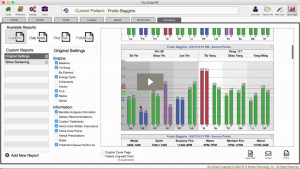
Editor’s Note: This post references AcuGraph 5, which has been succeeded by AcuGraph CS. The clinical concepts discussed remain applicable to current practice. In this tutorial we’re going to talk about graphs and all the graph styles that are included in AcuGraph 5, how to interpret them, and what they mean. Select a patient, and go to Last Graph. This pulls up the last exam that you performed on that patient. Now in it’s simplest sense... Read more

AcuGraph 5 Video Training: Cover Page

Editor’s Note: This post references AcuGraph 5, which has been succeeded by AcuGraph CS. The clinical concepts discussed remain applicable to current practice. Setting Up Custom Cover Page In this tutorial we’re going to walkthrough how to add a Custom Cover Page to your AcuGraph reports. Whether you’re going to print or email the report, having a custom cover page gives you a professional image, increases the attractiveness of your report and makes a great marketing... Read more

AcuGraph 5 Video Training: Treatment Plan – Herbs

Editor’s Note: This post references AcuGraph 5, which has been succeeded by AcuGraph CS. The clinical concepts discussed remain applicable to current practice. In this video, we are going to show the herbal portion of the AcuGraph and how to include herbs in your treatment plan. When you are looking at a graph you can click on the Herbs tab up at the top to see the herbal recommendations for the graph. Here you will a list of... Read more

AcuGraph 5 Video Training: Patient Management

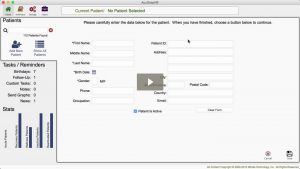
Editor’s Note: This post references AcuGraph 5, which has been succeeded by AcuGraph CS. The clinical concepts discussed remain applicable to current practice. Let’s talk about Patient Management… When you first open AcuGraph, it opens in Secure Mode. Secure Mode is HIPAA compliant and doesn’t show any personal health information. If you’re in a safe place and there’s no prying eyes around, you can click to show all patients for your management and staffing needs. Click... Read more
AcuGraph 5 Video Training: Treatment Plan – Spinal

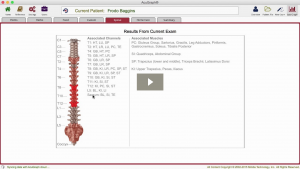
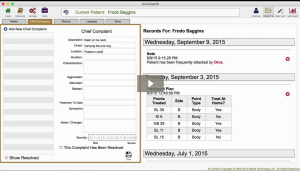
Editor’s Note: This tutorial was created for AcuGraph 5, which has been replaced by AcuGraph CS. The treatment concepts discussed remain applicable. In this tutorial, we’re going to talk about the spinal treatment recommendations that AcuGraph makes. When you’re looking at the graph you can click on the Spinal tab. Here, you’ll see a picture of the Spine with some areas shaded. The shading has several different degrees of red, and some areas are not shaded at all. The... Read more

AcuGraph 5 Video Training: Case Management

Editor’s Note: This post references AcuGraph 5, which has been succeeded by AcuGraph CS. The clinical concepts discussed remain applicable to current practice. In this tutorial we’re going to look at how to use the Patient File in AcuGraph 5. To see the patient file, first type in a patient’s name. Once you found and selected the patient,  there are icons on the top-right corner which shows the: Overview Patient File New Exam Last Graph... Read more

AcuGraph 5 Video Training: Archive Patients

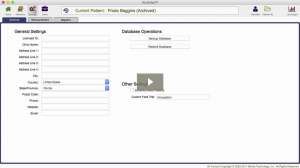
Editor’s Note: This post references AcuGraph 5, which has been succeeded by AcuGraph CS. The clinical concepts discussed remain applicable to current practice. In this tutorial I’ll show you how to archive and unarchive patients from your AcuGraph patient database. We’ll start in the AcuGraph Home screen and click on Show All Patients. This will reveal the entire list of patients in your database. Select a patient and click on the pencil icon on the right to edit... Read more

AcuGraph 5 Video Training: Treatment Plan – Food

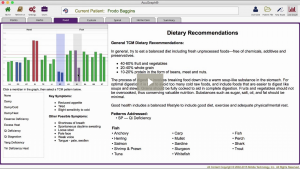
Editor’s Note: This post references AcuGraph 5, which has been succeeded by AcuGraph CS. The clinical concepts discussed remain applicable to current practice. AcuGraph Food Treatment Plan Let’s look at the Food portion of AcuGraph and how you can use the food recommendations in designing your treatment plan. When you look at your patient’s graph you can click on the Food tab and you’ll see a miniature graph in the top left corner. You can... Read more

AcuGraph 5 Video Training: Printing and Emailing

Editor’s Note: This post references AcuGraph 5, which has been succeeded by AcuGraph CS. The clinical concepts discussed remain applicable to current practice. In this walkthrough we’re going to talk about how to print or email a report to your patient. AcuGraph 5 – Printing and Emailing When we’re ready to print a graph, we simply click on the Print/Email button below the graph. Clicking this button has the same effect as clicking on the Summary tab above... Read more

AcuGraph 5 Video Training: Exams

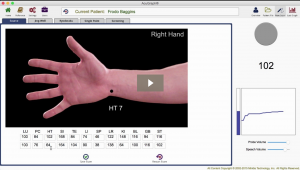
Editor’s Note: This post references AcuGraph 5, which has been succeeded by AcuGraph CS. The clinical concepts discussed remain applicable to current practice. Let’s walk through the process of performing an Exam. We’ll start by selecting a patient. Then click on New Exam. By default, AcuGraph measures the Source points. As you perform the exam you will see a picture of the point your measuring. On the right side of the screen, two visual indicators show additional information about the... Read more

AcuGraph 5 Launch: How Did it Go?

Hello AcuGraph Friends, Now that the AcuGraph 5 launch and Loyalty Discounts are officially in the record books, I can finally take a minute to breathe. This has quite literally been the busiest six weeks of my life! But it’s also been a ton of fun and quite exhilarating to ride this roller coaster! I want to shout out a HUGE thank you to all our employees, partners, beta testers, and of course, customers for... Read more