Skip to content

Acupuncture Technology News

Ancient acupuncture with modern tools.

  • Products
  • Store
  • Support
  • Company Info
Acupuncture Technology News
  • Products
  • Store
  • Support
  • Company Info

Category: Products

Posted on January 1, 2016November 1, 2016 AcuGraph Products Tips/Techniques Video Training

AcuGraph 5 Video Training: Reference

In this tutorial, we’re going to take a look at the AcuGraph Reference section. When you go to reference section you’ll see that there are 5 tabs across the top. The first tab is Points. Here you can look up Acupuncture points. They are organized by meridian. And so if you click... Read more

Posted on January 1, 2016November 1, 2016 AcuGraph Products Tips/Techniques Video Training

AcuGraph 5 Video Training: Treatment Plan – Home Care

In this walkthrough we’re going to talk about creating AcuGraph treatment plan, focusing on Home Care for patients. In other words, we will show you how to create instructions to send home with the patient for them to provide ongoing self care at home. When we’re looking at the graph, click... Read more

Posted on January 1, 2016November 1, 2016 AcuGraph Products Tips/Techniques Video Training

AcuGraph 5 Video Training: Custom Treatments

Let’s talk about Custom treatments that you can use when you’re creating treatment plans on AcuGraph. When you go to your patient’s graph and you click on the Custom tab, you’ll see that there isn’t a custom treatment available because you haven’t defined any custom treatments yet. So, the first step is... Read more

Posted on January 1, 2016November 1, 2016 AcuGraph Products Tips/Techniques Video Training

AcuGraph 5 Video Training: Treatment Plan – Points

In this tutorial we’ll walk through building a treatment plan, focusing on treatment point selection. As you’re looking through the patient’s graph, you’ll see the treatment recommendations at the bottom of the screen. Basic Treatment The white square that is highlighted is the Basic treatment protocol, and all the points... Read more

Posted on January 1, 2016November 1, 2016 AcuGraph Products Tips/Techniques Video Training

AcuGraph 5 Video Training: Graphs

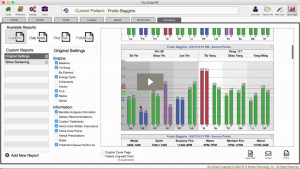
In this tutorial we’re going to talk about graphs and all the graph styles that are included in AcuGraph 5, how to interpret them, and what they mean. Select a patient, and go to Last Graph. This pulls up the last exam that you performed on that patient. Now in it’s... Read more

Posted on January 1, 2016November 1, 2016 AcuGraph Products Tips/Techniques Video Training

AcuGraph 5 Video Training: Treatment Plan – Advanced

In this tutorial, we’re going to look at some of the more advanced treatment options in AcuGraph for those that like to really customize their treatments and their treatment point selection. When you look at the graph of a patient, for example the one below, you can see that there... Read more

Posted on January 1, 2016November 1, 2016 AcuGraph Products Tips/Techniques Video Training

AcuGraph 5 Video Training: Cover Page

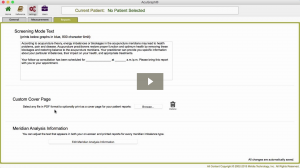
Setting Up Custom Cover Page In this tutorial we’re going to walkthrough how to add a Custom Cover Page to your AcuGraph reports. Whether you’re going to print or email the report, having a custom cover page gives you a professional image, increases the attractiveness of your report and makes a... Read more

Posted on January 1, 2016November 1, 2016 AcuGraph Products Tips/Techniques Video Training

AcuGraph 5 Video Training: Treatment Plan – Herbs

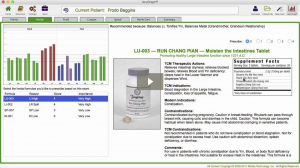
In this video, we are going to show the herbal portion of the AcuGraph and how to include herbs in your treatment plan. When you are looking at a graph you can click on the Herbs tab up at the top to see the herbal recommendations for the graph. Here you will a... Read more

Posted on January 1, 2016November 1, 2016 AcuGraph Products Tips/Techniques Video Training

AcuGraph 5 Video Training: Patient Management

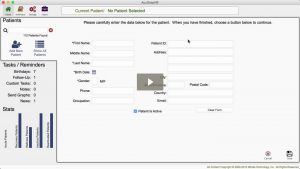
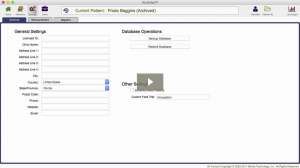
Let’s talk about Patient Management… When you first open AcuGraph, it opens in Secure Mode. Secure Mode is HIPAA compliant and doesn’t show any personal health information. If you’re in a safe place and there’s no prying eyes around, you can click to show all patients for your management and staffing... Read more

Posted on January 1, 2016November 1, 2016 AcuGraph Products Tips/Techniques Video Training

AcuGraph 5 Video Training: Treatment Plan – Spinal

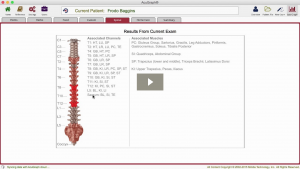
In this tutorial, we’re going to talk about the spinal treatment recommendations that AcuGraph makes. When you’re looking at the graph you can click on the Spinal tab. Here, you’ll see a picture of the Spine with some areas shaded. The shading has several different degrees of red, and some areas are not shaded... Read more

Posted on January 1, 2016November 1, 2016 AcuGraph Products Tips/Techniques Video Training

AcuGraph 5 Video Training: Case Management

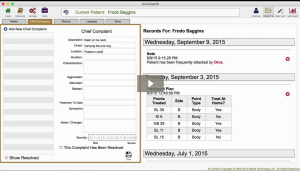
In this tutorial we’re going to look at how to use the Patient File in AcuGraph 5. To see the patient file, first type in a patient’s name. Once you found and selected the patient,  there are icons on the top-right corner which shows the: Overview Patient File New Exam... Read more

Posted on January 1, 2016November 1, 2016 AcuGraph Products Tips/Techniques Video Training

AcuGraph 5 Video Training: Archive Patients

In this tutorial I’ll show you how to archive and unarchive patients from your AcuGraph patient database. We’ll start in the AcuGraph Home screen and click on Show All Patients. This will reveal the entire list of patients in your database. Select a patient and click on the pencil icon on the... Read more

Posted on January 1, 2016January 31, 2024 AcuGraph Products Tips/Techniques Video Training

AcuGraph 5 Video Training: Treatment Plan – Food

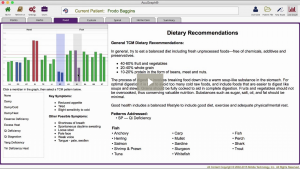
AcuGraph Food Treatment Plan Let’s look at the Food portion of AcuGraph and how you can use the food recommendations in designing your treatment plan. When you look at your patient’s graph you can click on the Food tab and you’ll see a miniature graph in the top left corner.... Read more

Posted on January 1, 2016November 2, 2016 AcuGraph Products Tips/Techniques Video Training

AcuGraph 5 Video Training: Exams

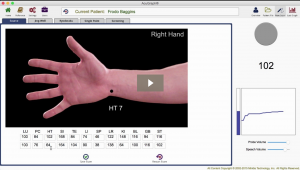
Let’s walk through the process of performing an Exam. We’ll start by selecting a patient. Then click on New Exam. By default, AcuGraph measures the Source points. As you perform the exam you will see a picture of the point your measuring. On the right side of the screen, two visual indicators show additional information... Read more

Posted on January 1, 2016November 2, 2016 AcuGraph Products Tips/Techniques Video Training

AcuGraph 5 Video Training: Printing and Emailing

In this walkthrough we’re going to talk about how to print or email a report to your patient. AcuGraph 5 – Printing and Emailing When we’re ready to print a graph, we simply click on the Print/Email button below the graph. Clicking this button has the same effect as clicking on the Summary... Read more

Posts pagination

← 1 … 10 11 12 13 14 … 29 →

What Users Are Saying:

Post History

Sign up for FREE tips on how to become a successful acupuncturist!

WE RESPECT YOUR PRIVACY: Your data will be used to provide you information about our products and services. By completing this form you give explicit consent to receive these messages. You may update your data, withdraw your consent or request that we delete your data at any time. Click here to review our entire privacy policy.double click to edit

Top Posts & Pages

  • Auricular Anatomy Basics: The 7 Major Areas of the Ear
    Auricular Anatomy Basics: The 7 Major Areas of the Ear
  • Acupuncture Point: Spleen 9 (SP 9)
    Acupuncture Point: Spleen 9 (SP 9)
  • Confused or Confident?
    Confused or Confident?
  • Acupuncture Point: Small Intestine 3 (SI 3)
    Acupuncture Point: Small Intestine 3 (SI 3)
  • The Primary Channel Balance - Part 3
    The Primary Channel Balance - Part 3
  • Branch Treatments
    Branch Treatments
  • Laser vs. LED: What's the Difference?
    Laser vs. LED: What's the Difference?
  • I am Convinced—Part 2: Yin Leads, Yang Follows
    I am Convinced—Part 2: Yin Leads, Yang Follows
  • Three Tiny Little Points = One Huge Impact
    Three Tiny Little Points = One Huge Impact
  • I am Convinced—Part 3: Trust the Graph
    I am Convinced—Part 3: Trust the Graph
© 2026 Acupuncture Technology News / Powered by WordPress / Theme by Design Lab